

Product
Agent Configurator
Author your AI coding-agent configuration once, deploy it everywhere, and see exactly what your agent sessions did — and what they cost. All on your Mac, all in your own files.
Agent Configurator is currently in beta testing through TestFlight. The Helper is an optional companion described below.
Author once, deploy everywhere
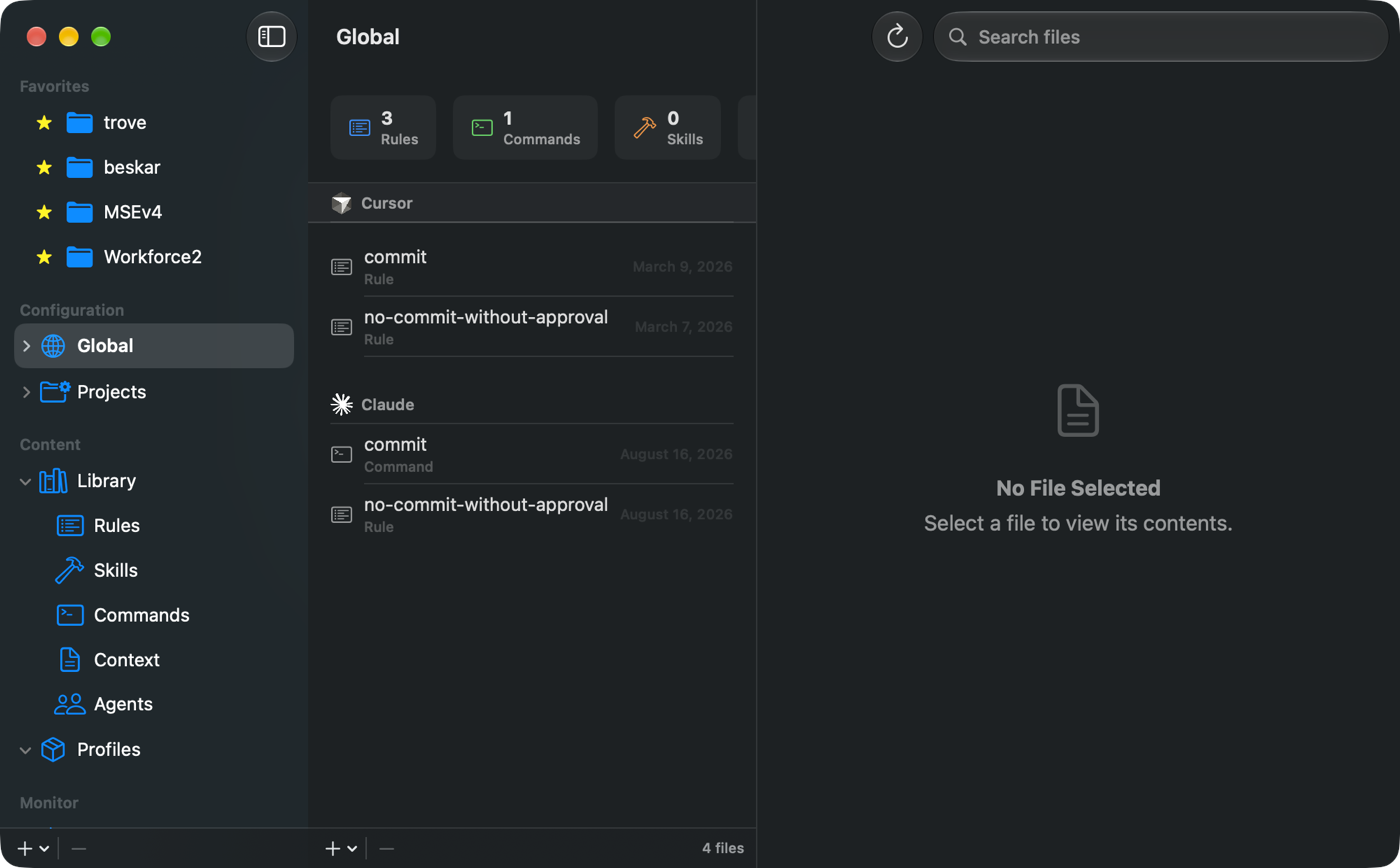
Keep your rules, skills, commands, context files and subagent definitions in one library instead of scattered across a dozen project folders. Write an item once, then deploy it wherever it is needed — into individual projects or into your global configuration.
Agent Configurator understands the layout each tool expects and writes each file to the right place, in the right format, for every runtime it supports: Claude Code, Codex CLI, Cursor, Gemini CLI and Grok CLI. Group related items into Profiles and deploy them together — a “Swift project” profile, a “web frontend” profile — so setting up a new repository takes one action instead of twenty.
- Claude Code
- Codex CLI
- Cursor
- Gemini CLI
- Grok CLI
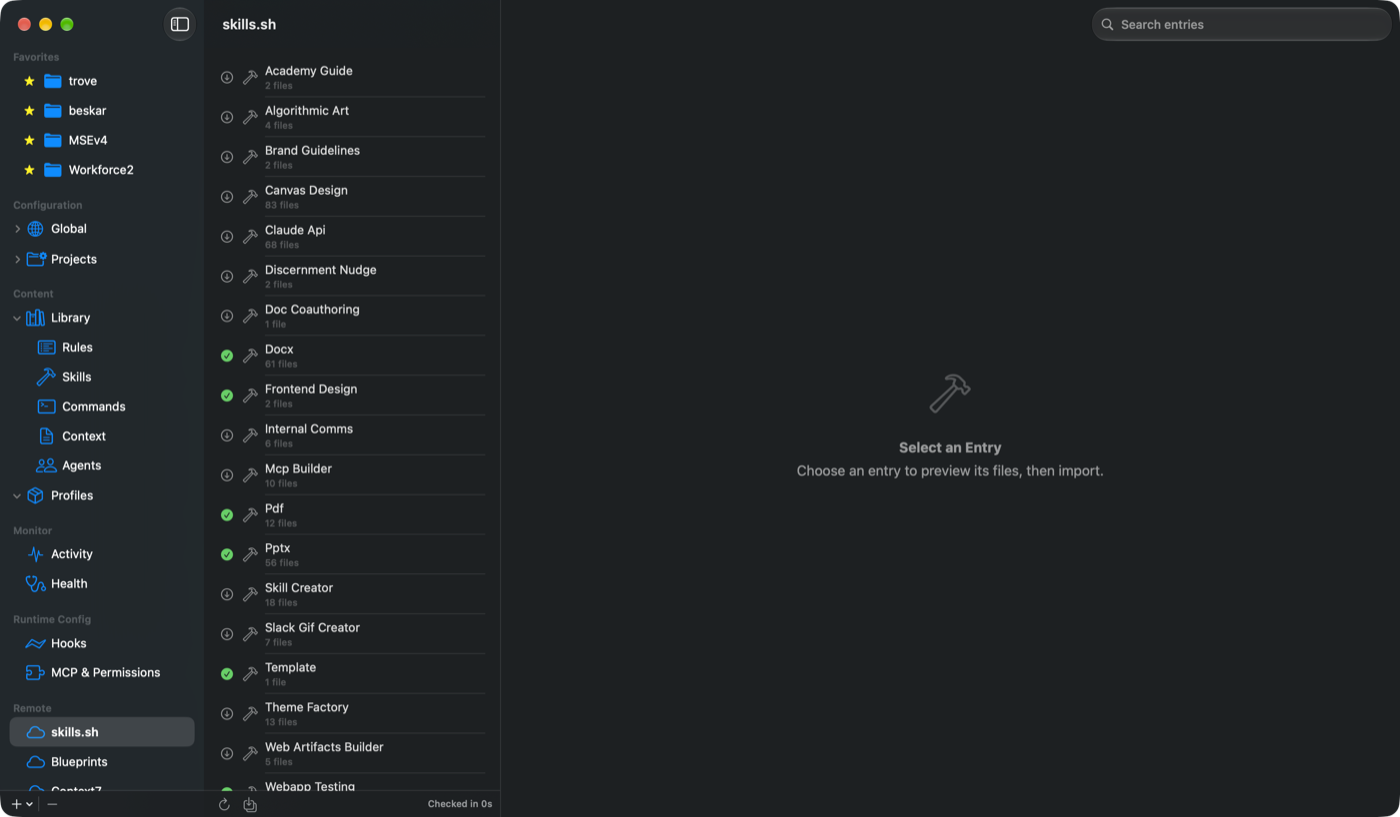
Bring in what already exists
Import configuration you have already written straight from your projects and home directory into the library. Sync from remote sources — Git-backed blueprint repositories, skills.sh and Context7 — with clear indicators showing which items are new, which have updates available and which are already current. Import individually or in bulk.
See what your agents are doing
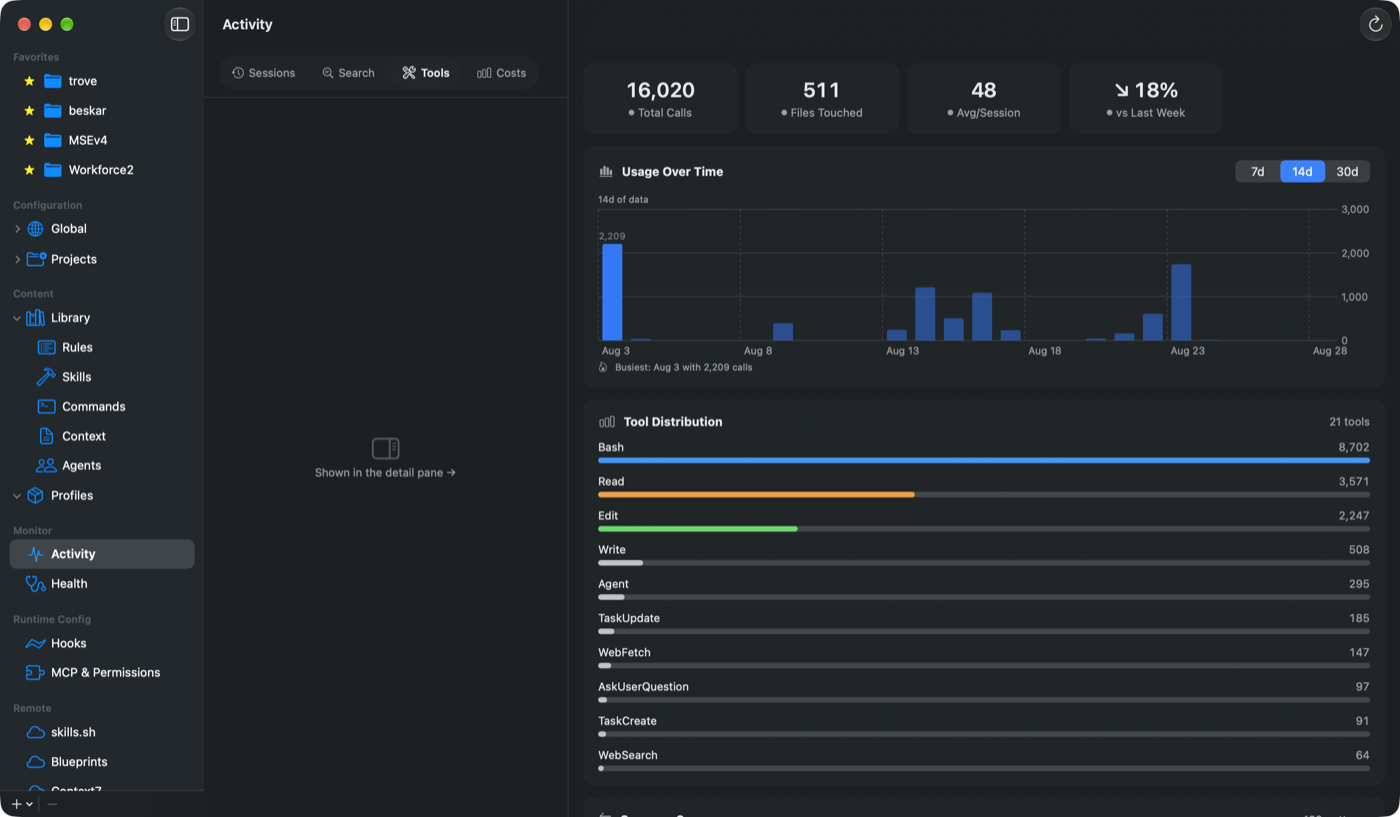
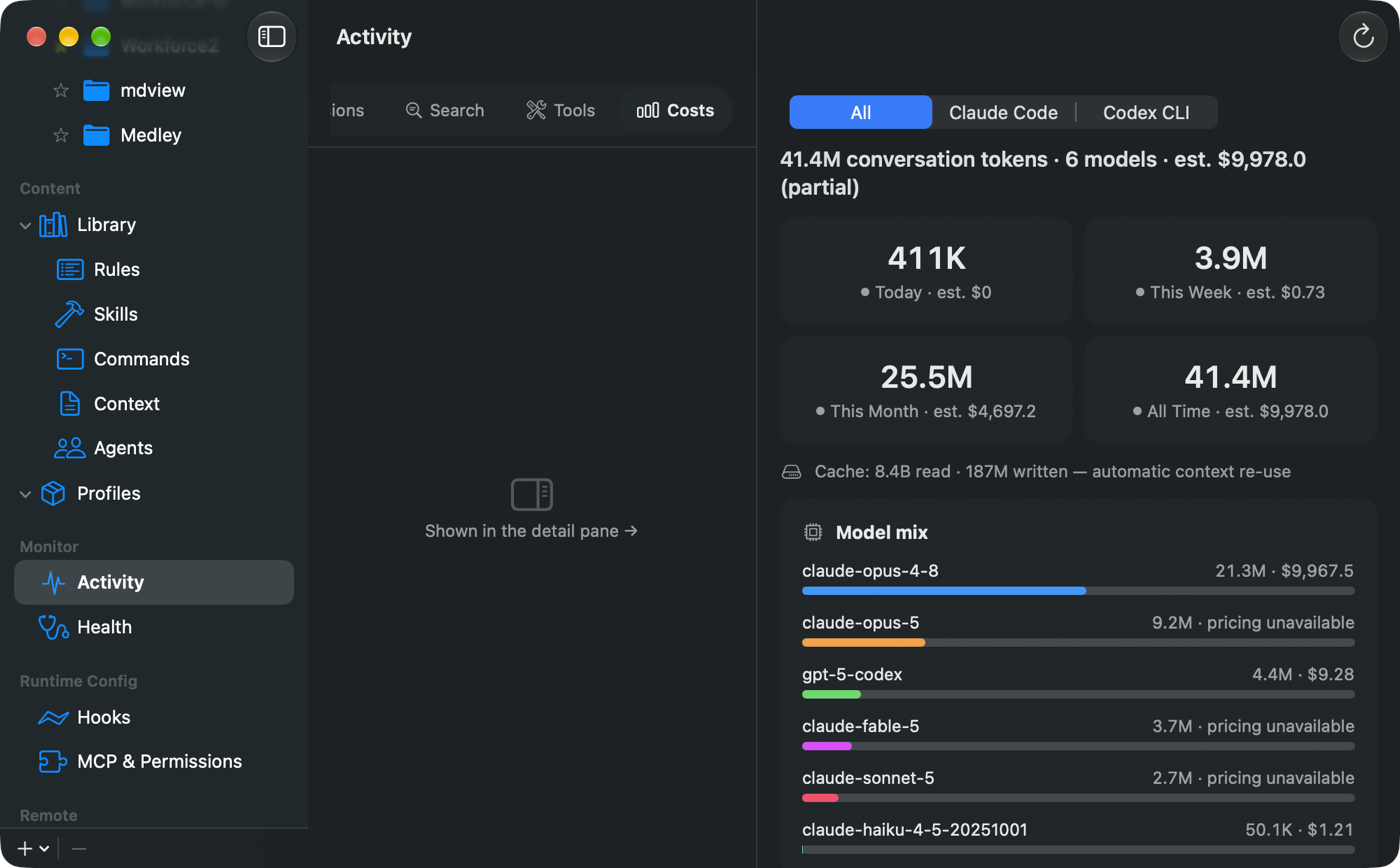
Agent Configurator reads the session transcripts Claude Code and Codex CLI already write to your Mac and turns them into something you can actually read:
- Sessions — every session with its project, message counts, and activity over time
- Search — full-text search across your entire transcript history
- Tools — which tools your agents reach for most, and how often
- Costs — token usage and estimated spend, broken down by model, runtime and day
Know your configuration
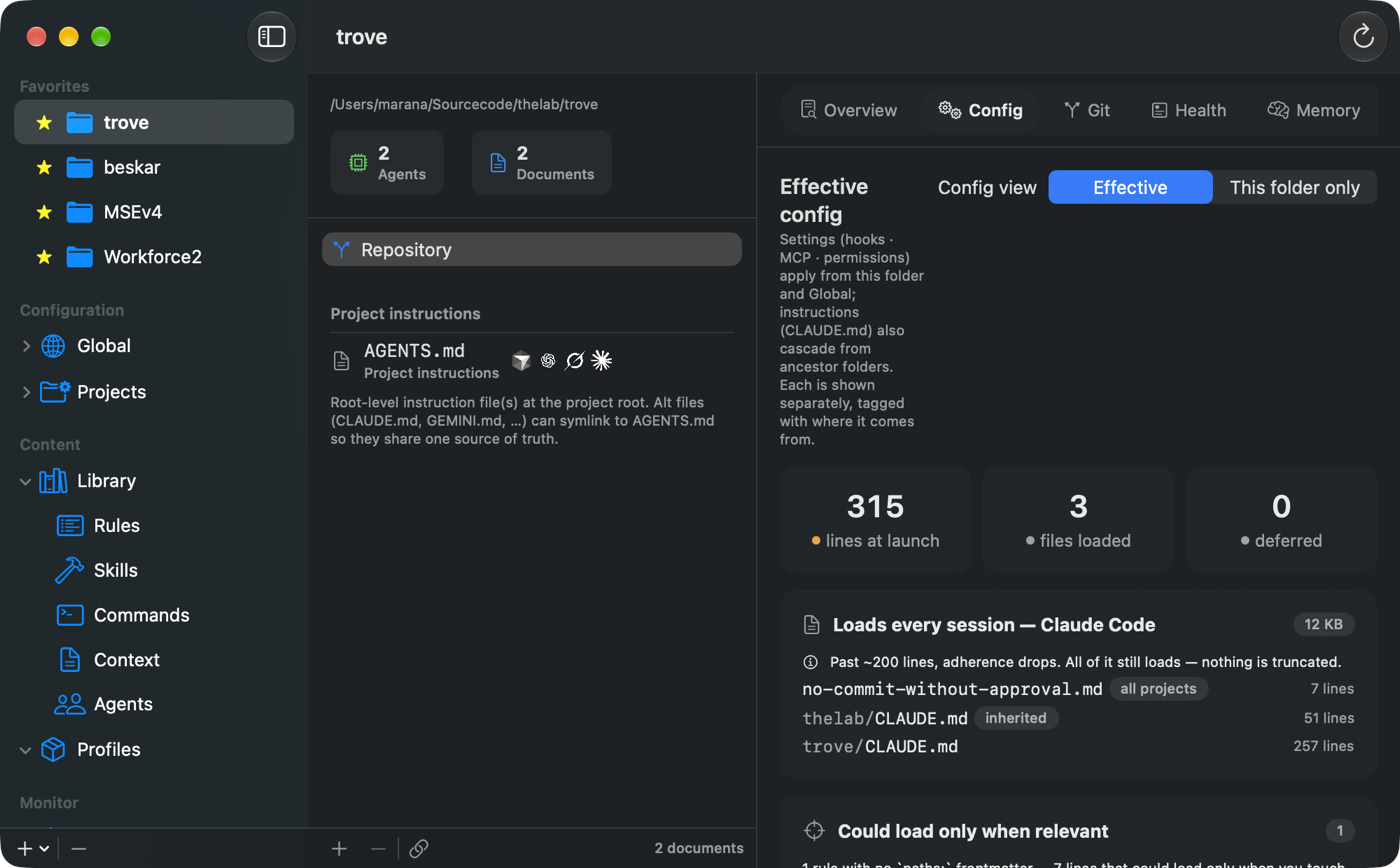
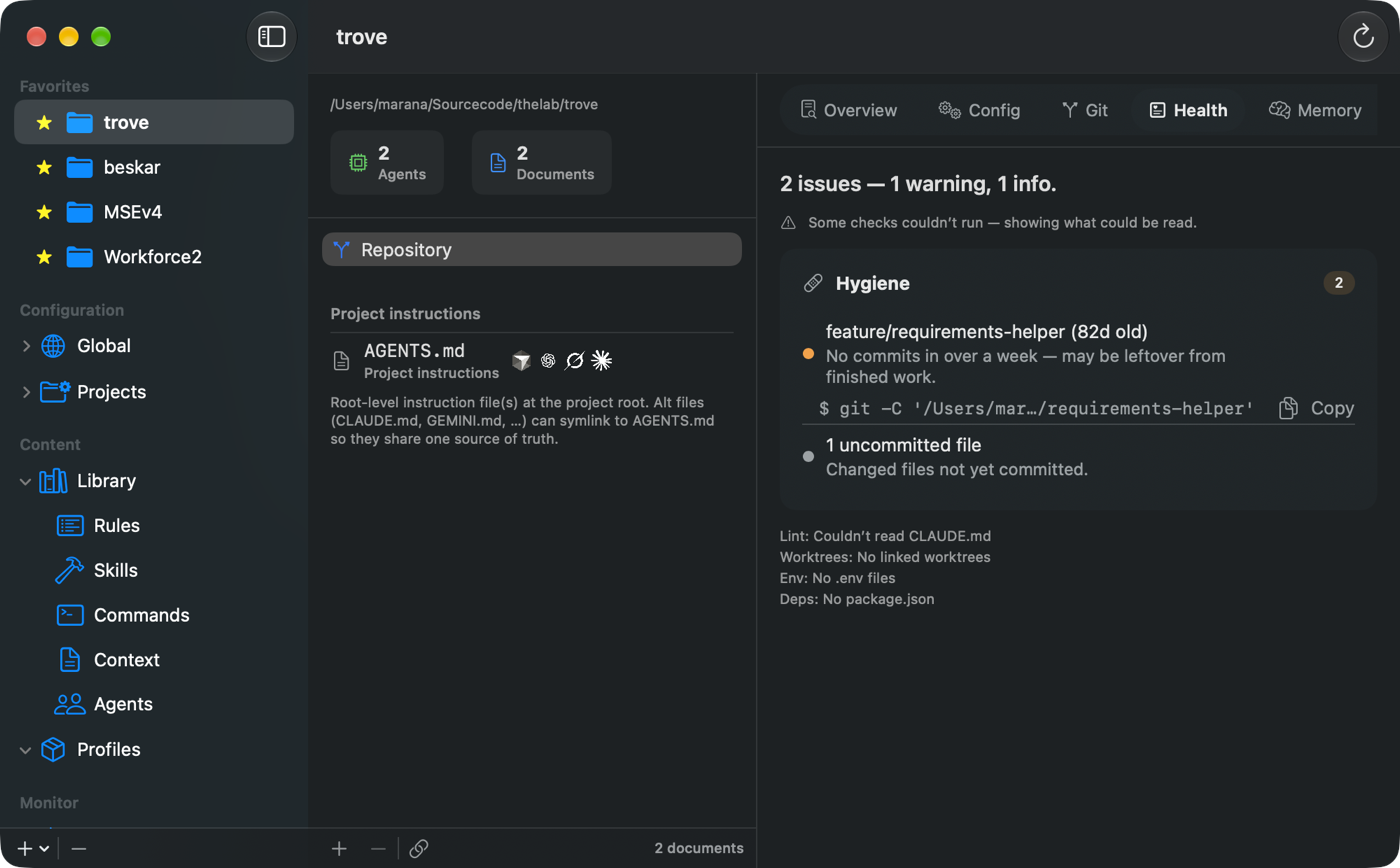
See the runtime configuration your agents are actually using — memory files, hooks, MCP servers and permission rules — in a readable view instead of hand-parsed JSON. Browse the Git repositories across your workspace with branch and status detail, and check workspace health across every registered project.
Your files, your machine
Your library is a plain folder of Markdown files with YAML frontmatter. No proprietary database and no lock-in — readable, diffable and version-controllable with the tools you already use. Store it locally, in iCloud Drive, or in any folder you choose, including a Dropbox or network location.
Your library, your projects and your session transcripts are read locally and stay on your Mac. Nothing is collected and no analytics are sent to us. The features that do reach the network only run when you invoke them: syncing a remote source you have added, searching Context7, and the optional draft assistant, which sends your draft to the AI provider you choose using your own API key, stored in the system Keychain. See the privacy policy for the full account.
The optional Helper
Agent Configurator is sandboxed, which means some features are outside what the app itself is permitted to do: enumerating running processes with their memory use, ending a stuck one, listing the ports your own processes have open, running the Claude Code or Codex command-line tools you already have installed to generate text, and letting the AI agents you connect read and update your Library over MCP.
Agent Configurator Helper is a small, separately downloaded companion that does exactly those things, and only when asked. It is signed with our Developer ID and notarized by Apple, installs as a login item, and talks to the app over a private XPC connection that verifies both sides' code signatures. The Helper makes no network connections of its own; when it runs a command-line tool for you, that tool talks to its own service under your own sign-in. The app works fully without it; features that need it say so, and offer to install it.
After installing, allow it in System Settings → General → Login Items & Extensions. If Agent Configurator ever reports that the Helper isn't responding, use Settings → Text Gen → Repair Helper.
Download Agent Configurator Helper 1.0.3
Built for macOS
A genuinely native app: full light and dark appearance, complete keyboard and menu-bar coverage, VoiceOver support throughout, and the standard macOS controls you already know. Sandboxed, with access only to the folders you explicitly grant.
Requirements
- System
- macOS 26 or later
- Hardware
- Apple Silicon Mac
- Works with
- Claude Code, Codex CLI, Cursor, Gemini CLI, Grok CLI
- Imports from
- Git blueprint repositories, skills.sh, Context7
- Availability
- Beta, via TestFlight — ask us for an invitation
- Support
- Contact page